

Contents

Today’s consumers are increasingly heading to their smartphones to do their shopping. However, if they are met with an unresponsive website, sluggish loading times, and a hard-to-navigate interface, you could see a spike in cart abandonment and lost sales.
Fortunately, there are several ways to keep customers engaged and encourage them to make a purchase. By making a few simple changes and optimizing your site, you can increase your profits and build a base of loyal customers.
In this post, we’ll discuss the importance of mobile shopping in the ecommerce world. Then, we’ll highlight five ways you can enhance your customers’ mobile shopping experience. Let’s get started!
The Importance of Mobile Shopping
Ecommerce has been growing rapidly over the last few years. Additionally, mobile commerce (or mcommerce) accounts for a large proportion of online sales. In fact, an eMarketer study found that US mcommerce sales rose by 41.4 percent in 2020. This number is forecast to double by 2025.
However, nine out of ten shoppers believe that mobile shopping could be made better. Meanwhile, research by Klarna and BigCommerce has found that four in ten shoppers abandon a purchase at least once a week, with 33 percent of respondents citing frustrations with a mobile website as the reason for leaving.
These studies show that there is more money to be made by providing a smooth mobile shopping experience. By making sure that your store is easily viewable and accessible on small devices, you can help reduce your bounce rate and increase your conversions.
5 Ways to Improve the Mobile Shopping Experience
If you’re looking for ways to improve your customers’ shopping experience, we’ve outlined five key areas you could tweak. Let’s take a close look at each one.
1. Speed Up Your Site
A fast website can encourage customers to keep browsing your store and make a purchase. In fact, a Deloitte study found that even with just a 0.1 second improvement in site speed, retail consumers spent more money at a store.
Fortunately, there are several steps you can take to avoid slow loading times. First, you could optimize the images on your site, using an image compressor like TinyPNG:

You may also want to consider using more lightweight plugins and themes. Additionally, you could try minimizing CSS, HTML, and JavaScript files on your website, using a plugin like Autoptimize:

This tool minifies the code on your site to improve performance for visitors. It also offers additional features such as the ability to preload specific requests and optimize Google Fonts to speed up loading times.
2. Optimize the Design of Your Store
Ensuring that your website functions well on mobile devices is another important aspect in the mobile shopping experience. This means modifying your content for smaller screens.
For example, pages should be easy to navigate. They should also contain necessary information only. This way, visitors will be able to browse and purchase your products without any distractions or obstacles.
You could also consider using accordion menus for site navigation. An accordion menu contains a brief list of items (e.g. main pages and categories) that can be clicked to view additional content (e.g., subcategories). According to ecommerce platform Nosto, this feature can greatly reduce cart abandonment.
3. Focus on Accessibility
Accessibility is another essential aspect to consider. You’ll need to ensure that users with auditory, visual, and cognitive disabilities are able to interact with your content.
An easy way to do this is by providing product photos with alt text. If an image cannot be loaded, the browser will display this text instead. Moreover, screen readers use alt text to describe an image to visually impaired visitors.
A plugin such as WP Accessibility can help you make your site more accessible:
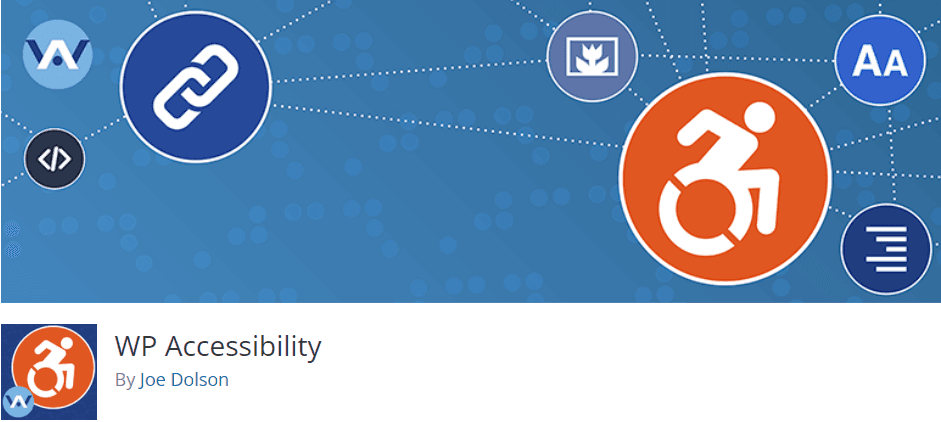
For instance, it can help you enforce alt attributes across your site and address accessibility issues with your design. It also enables you to add skip links with user-defined targets. This way, visitors who rely on a keyboard or screen reader can browse your site more easily.
4. Provide Safe and Simple Payment Methods
In a recent study, three quarters of consumers said that they would abandon their carts if they didn’t trust a website’s security. Therefore, you may want to offer shoppers a variety of popular payment options, including digital wallets like PayPal and Google Pay.
For instance, the WP Simple Pay plugin enables you to add secure payments to your WordPress site:
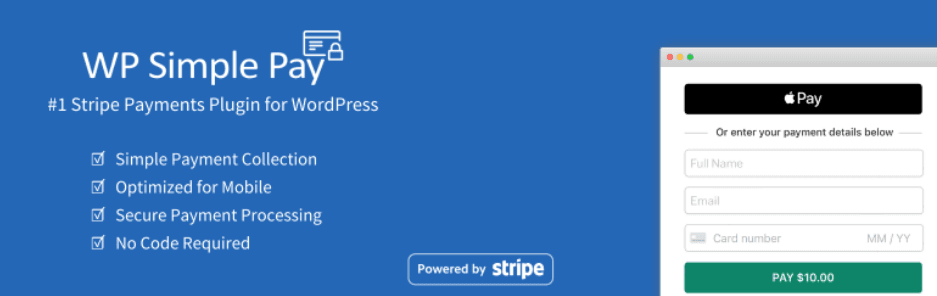
Additionally, you’ll want to ensure that your checkout process is quick and simple. Fortunately, if you use WooCommerce on your site, this plugin gives you total control over your checkout fields:

You can customize your checkout page exactly how you would like. However, we recommend that you keep your forms simple and only ask users for the most important details. You can use an extension like One Page Checkout to simplify the process even further.
5. Add Search Functionality to Your Site
A good mobile shopping experience should also account for searchability. This means ensuring that customers can find the products they’re looking for.
Having a search icon that is present on all pages will give visitors quick access to the items they’re interested in:

It also helps to have smart predictive search terms. This can save users time typing long phrases. Accommodating for spelling mistakes would also be useful, as it can help remove any obstacles in the shopper’s journey.
One powerful tool you could use is Ivory Search. This plugin can enhance your default WordPress search:

For instance, it enables users to look for WooCommerce products. It also provides additional features, such as the option to add word synonyms and the ability to order results by date, relevance, and other attributes.
Conclusion
A poor mobile shopping experience can lead to lost sales and customers. Fortunately, there are many areas you can look at to ensure that your website is optimized for small devices.
In this post, we looked at five effective ways to improve your mobile shopping experience:
- Speed up your site, using a tool such as Autoptimize.
- Optimize the design of your store.
- Focus on accessibility, using a plugin like WP Accessibility.
- Provide safe and simple payment methods, including PayPal and Google Pay.
- Add search functionality to your site.
Do you have any questions about how to improve the mobile shopping experience? Let us know in the comments below!
If you liked this post, be sure to follow us on Twitter, Instagram, Facebook, Pinterest, and LinkedIn! And don’t forget to subscribe in the box below.











Leave a Reply
You must be logged in to post a comment.